Can I see a Log of Photo Usage?
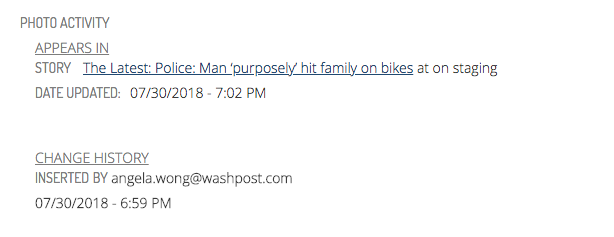
We record image events in an audit log. On the edit page for an image, after selecting “Show photo activity” button, you will see:
- Which user published a photo and what time they published it
- Which articles and galleries a photo is in. You can also click the link to go to that story if it is in Composer. For example, in the event of a takedown notice, I can quickly go to the story in Composer to see if this photo was misused in production.
There are some situations we don’t track. For example:
- If someone downloads an image and uploads it somewhere to use such as for print or in a graphic, we won’t be able to track that usage beyond recording the date, time, and name of the user who downloaded it
- If the image activity is performed outside of the UI (for instance, images that come in through wires and are used in wire stories)
- If the image appears in a story in the “Featured Media” section (we only track images as inline elements)