Compass Overview
Arc XP Compass is a personalization engine for publisher home pages and section fronts. It combines editorial guidance, reader signals, and AI composition to give every reader a discovery experience shaped around what they care about — while the newsroom stays in control of what’s prioritized.Compass is publisher-owned adaptive discovery. Instead of losing the “what should I read next” moment to third-party platforms or AI answer engines, publishers keep the reader relationship on their own surfaces. The home page and section fronts adapt to each reader, grounded in the publication’s editorial voice and the signals editors set.
Who Compass is For
Compass is built with three types of users in mind:
- Editorial teams — set priorities on stories, monitor how personalization is landing, and steer the reader experience with newsroom judgment intact.
- Product owners and digital ops leads — configure Compass for their sites, manage integrations, and shape how catch up cards are voiced.
- Newsroom leadership — see how personalization is performing across surfaces.
What Compass does
Catch Up Cards
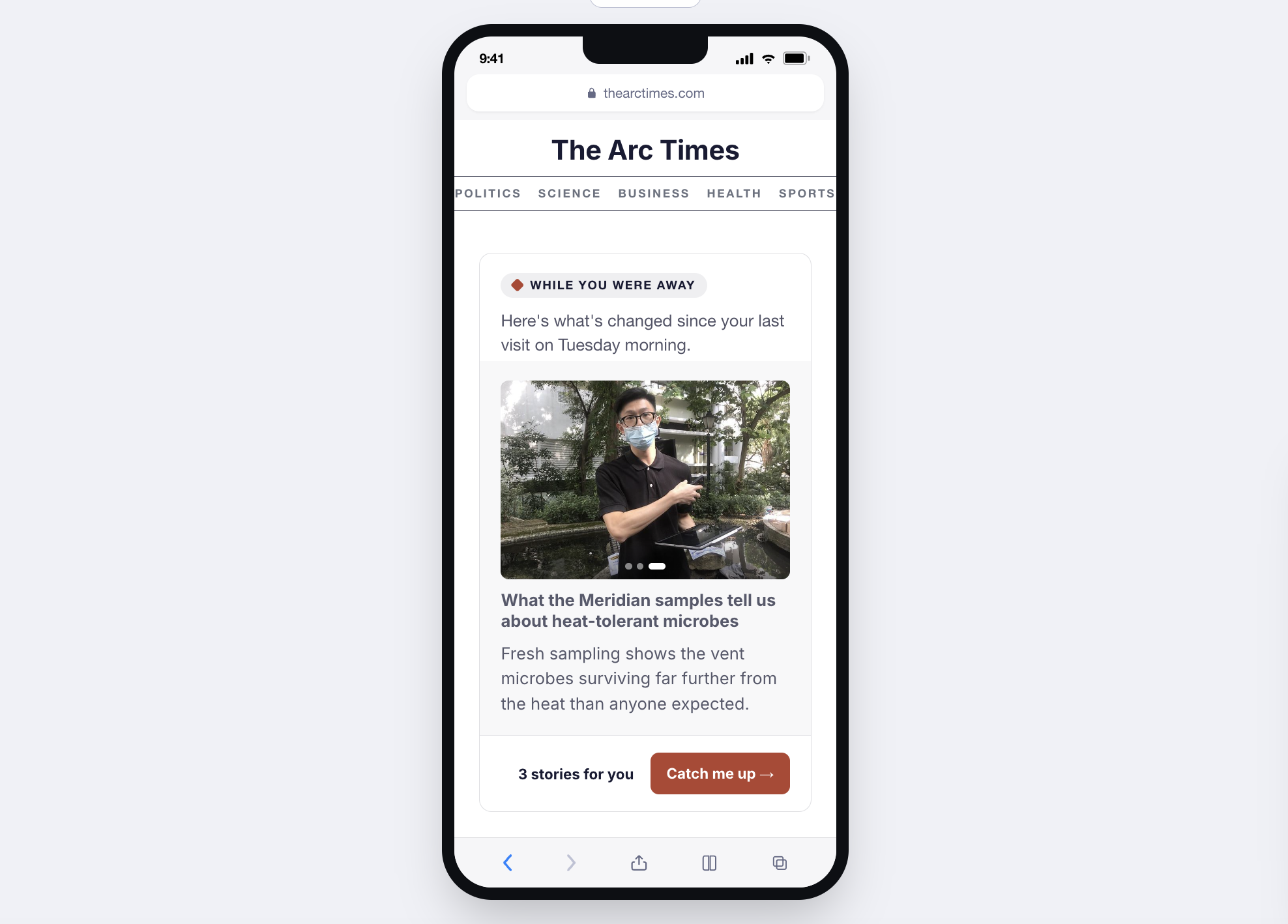
Catch Up Cards are dynamic modules on the home page and section fronts that catch each reader up on the stories they follow. They surface progress on ongoing coverage, related developments across topics the reader cares about, and a synthesis of what they missed since their last visit.
The Catch Up Card landing UX uses AI synthesis to compose the framing and summary. Individual story cards inside Catch Up experiences let users either read a quick summary leveraging the real headline and promo image content or go directly to the full source read.
Personalized Content Recommendations
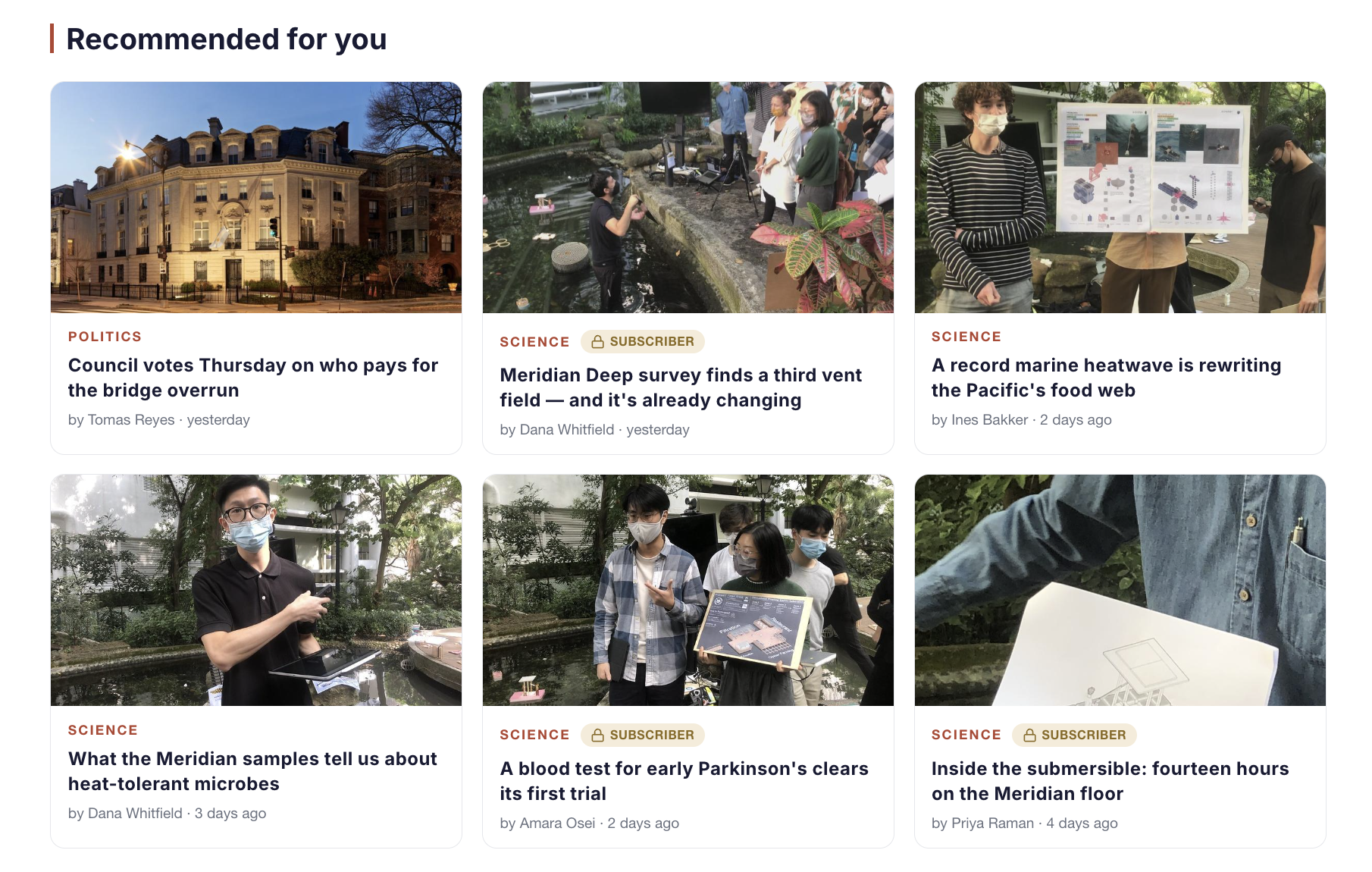
Compass surfaces the stories each reader is most likely to care about, based on what they’ve been reading on your site. The more a reader engages with your coverage, the more relevant their experience becomes over time.
Personalization works from reader behavior on your own site — what they read, when, and how deeply. It doesn’t require reader accounts or explicit preferences. As readers engage with your coverage of a developing situation, Compass prioritizes related stories on their next visit.Your newsroom stays in control of what personalization can surface.
Editorial Priority Controls take precedence over algorithmic ranking — a pinned story appears in a fixed position for every reader, regardless of what personalization would otherwise show,. Compass adapts to what readers do; it does not override what editors decide.
Personalized recommendations can be placed in a range of contexts across your site– a dedicated “For You” section, a right rail on article pages, a module on the homepage, or other placements your development team designs. Your implementation determines where and how recommendations appear to readers.
Editorial Priority Controls
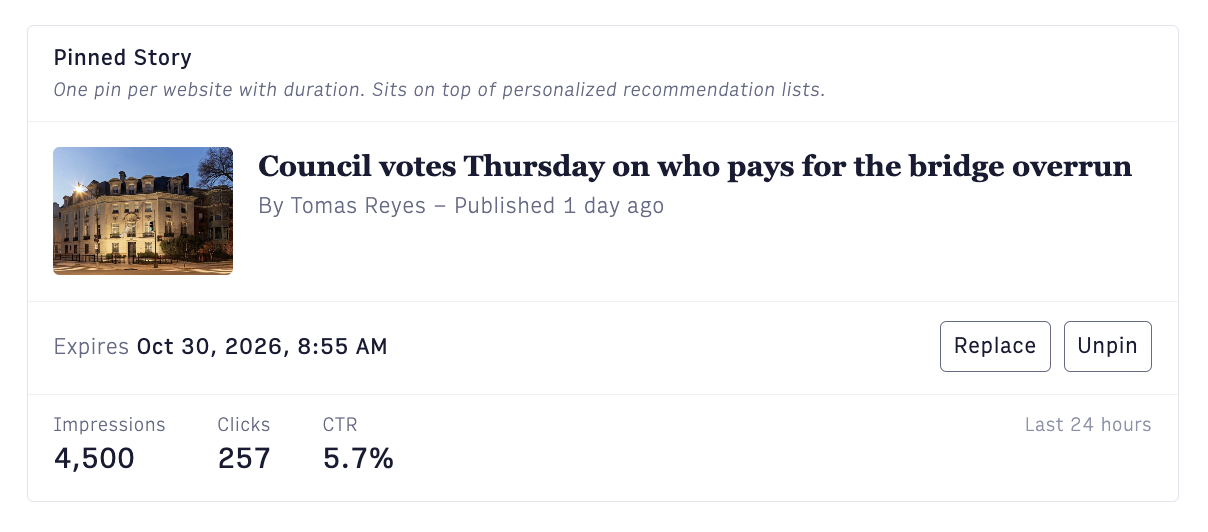
Editorial Priority Controls let editors directly shape the content recommendations that Compass surfaces to readers. Editors can:
- Pin a story so it stays visible across every reader’s view.
- Boost a story to elevate its ranking in personalized modules.
- Bury a story to hold it back from personalized surfaces without unpublishing it.
- Exclude a story from Compass surfaces entirely.
Editorial controls set the boundaries the algorithm works within. When both boost and bury are applied to the same content, bury takes precedence.
Analytics
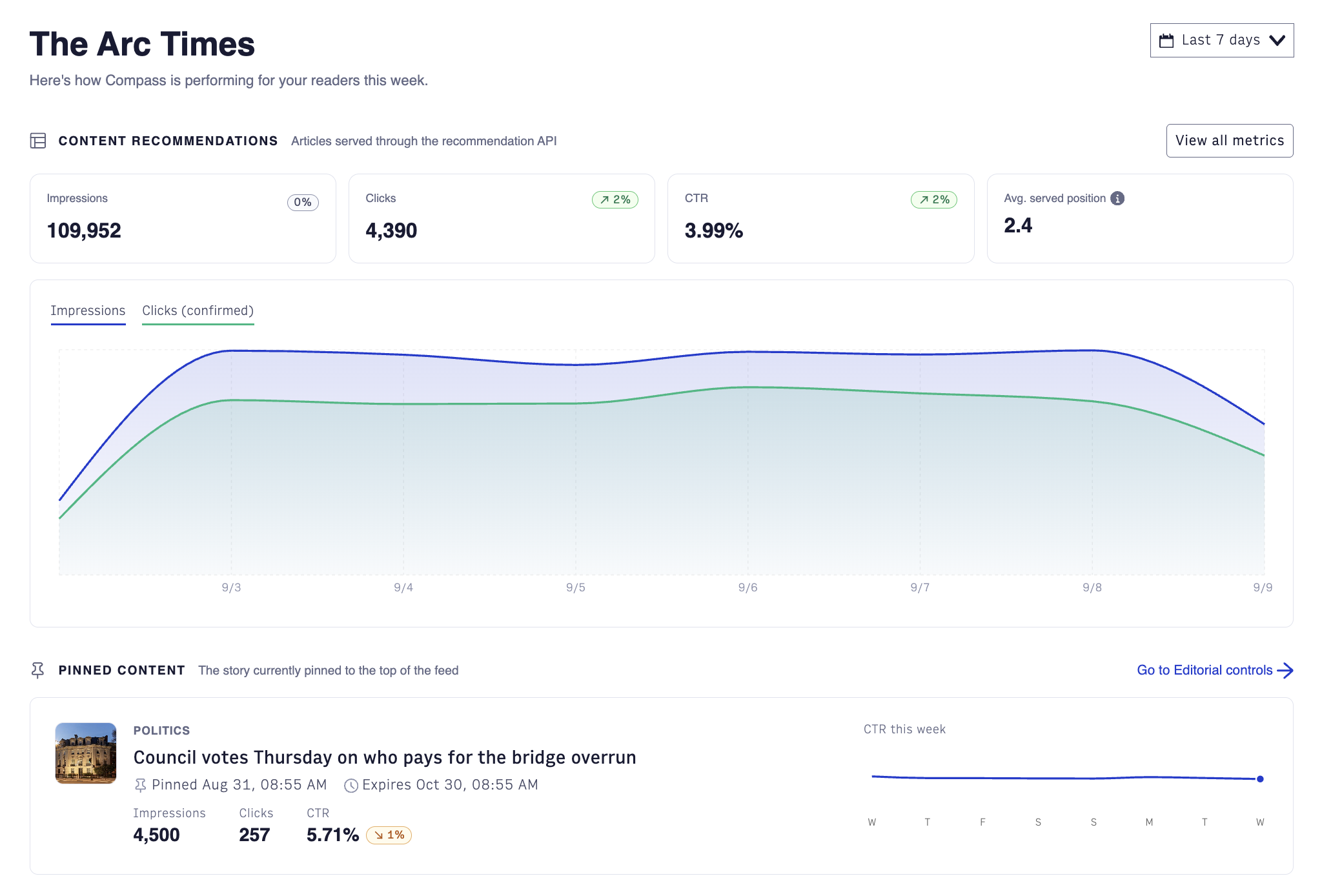
Compass includes a per-site analytics view showing how each capability is performing. Editorial teams can see Content Recommendations, Pinned Content, and Catch Up Cards performance in one place, without needing to stand up a separate tool.
An Advanced view links to the underlying technical health view for teams that want to inspect the recommendation stream at a deeper level.
For what each metric means and how to read it, see Compass Analytics Overview.
How Compass fits in your workflow
Compass runs alongside your existing content stack. It works with any CMS and doesn’t require moving other parts of your stack onto the Arc XP platform. Editors work where they publish today. Compass reads content from the same feed and adds personalization on top of the existing home page and section front experience.
The Compass Admin interface allows users to access Editorial Priority Controls, Catch Up Cards enablement, and Analytics.