Using field-level AI in Composer
Field-level AI surfaces Composer’s AI functionality contextually at the field-level instead of through a browser plugin.
When Arc Intelligence is enabled for your organization, you can generate content with AI in the following fields:
- headline
- subheadline
- description
- SEO keywords
- story tags
Generating field-level AI content
Generating content with AI helps streamline the writing process and enhances storytelling. The AI tool suggests multiple tailored options directly within the story body or the chosen field, making it easy to find the perfect wording or options.
The AI-generated content feature specifically offers the following items:
- AI-powered suggestions - Composer generates multiple content options that best capture the essence of your story.
- Seamless integration - the AI tool is accessibly directly from the story body or the AI-enabled fields, streamlining your editing process.
- Engagement-focused content - AI suggests content that is crafted to grab attention and resonate with readers.
To generate content with AI:
- Navigate to Composer.
- Open a story you want to generate a headline or subheadline for.
- Click into any of the AI-enabled fields, and click the AI generator icon
 . Arc Intelligence generates several options based on the content in the story.
 - Click the option you want to insert. Composer updates the story with the chosen content.
Linking Custom AI Prompts to Composer fields
Customers can now leverage Custom AI Prompts directly on Composer free form fields that do not natively support AI out of the box.
- In Global Settings > AI Settings, there is a new Linked Composer Field that lists available Composer fields so users can run Custom Prompts on fields we don’t natively support AI on directly
- From Composer, when a custom prompt has been linked to a field users will now be able to see an AI icon on the field and run the custom prompt to return a result
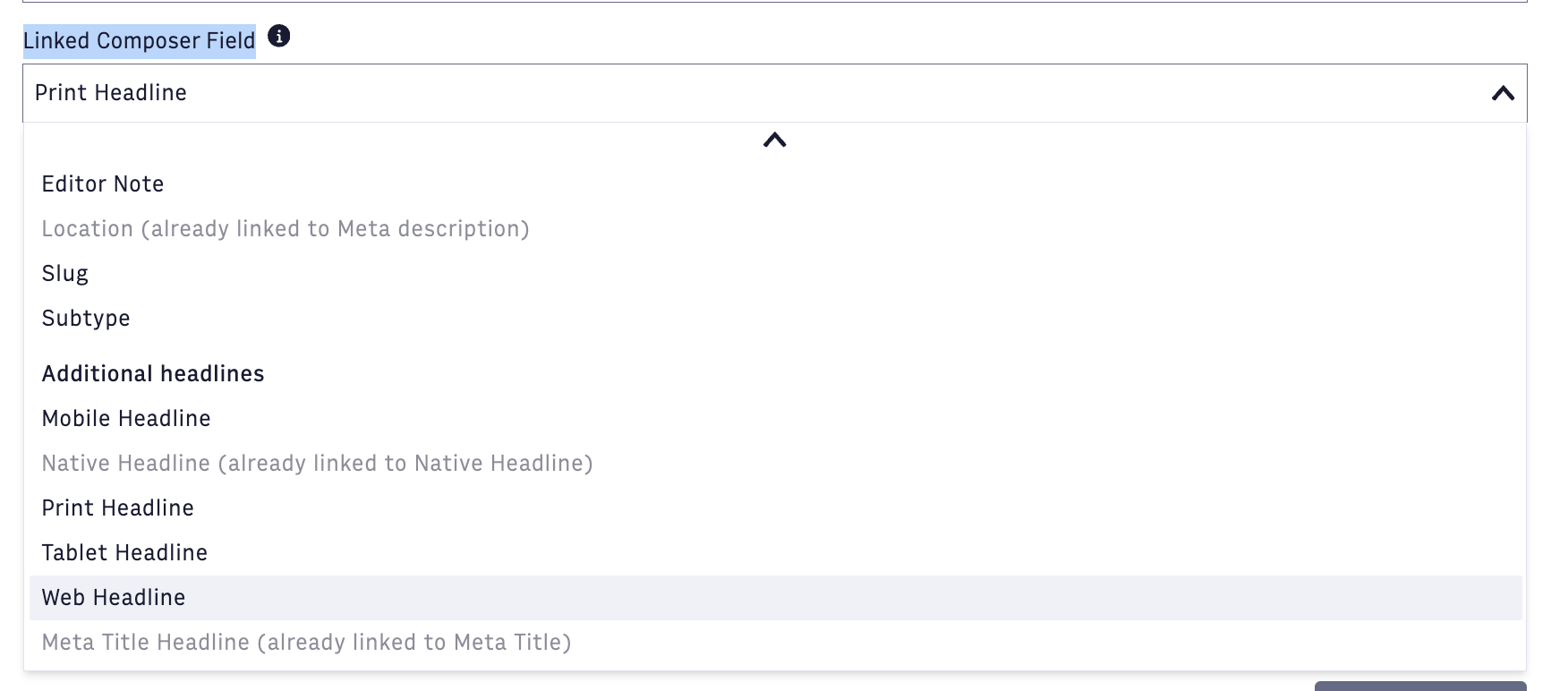
Note: This only works on available free form fields and only 1 custom prompt can be linked per valid Composer field.