Draft API syncing in Composer
Seamlessly sync API-driven updates to metadata fields into active stories for real-time API / Human collaboration without disrupting author workflows or locking mechanisms.
- Customers using APIs to update or orchestrate updates to stories, can now seamlessly load in metadata to stories while authors are actively working on them. This sets the initial stage for collaborative updates that don’t interfere with the locking mechanisms.
- When enabled, IFX or APIs that are called automatically on a story will load in data to the session the user is on within the story.
- Users can temporarily see where updates were made and resolve any conflicts if necessary.
- Users can confirm changes made by API on save of the story.
How to make Collaborative Metadata API updates to stories with Session Service
-
Set up an IFX job that will make API updates to stories automatically.
-
IFX job is run.
-
User on the story when IFX job is run will be notified on the fields that were updated.
- We currently support only fields in the Planning, Metadata, Related items, and Featured Media tabs.
- This is not compatible with story body updates.
-
Story loads in changes from the API to the fields that were modified.
- Users can see a visual indicator on specific fields that were changed.
- Users can review changes by the API when they save.
-
Conflicts within the session are handled gracefully or prevented entirely.
- Prevent data clashes by not allowing modifications to happen.
- Users actively in a field always take precedence over API loading in data.
How will API automatic updates and user changes be handled?
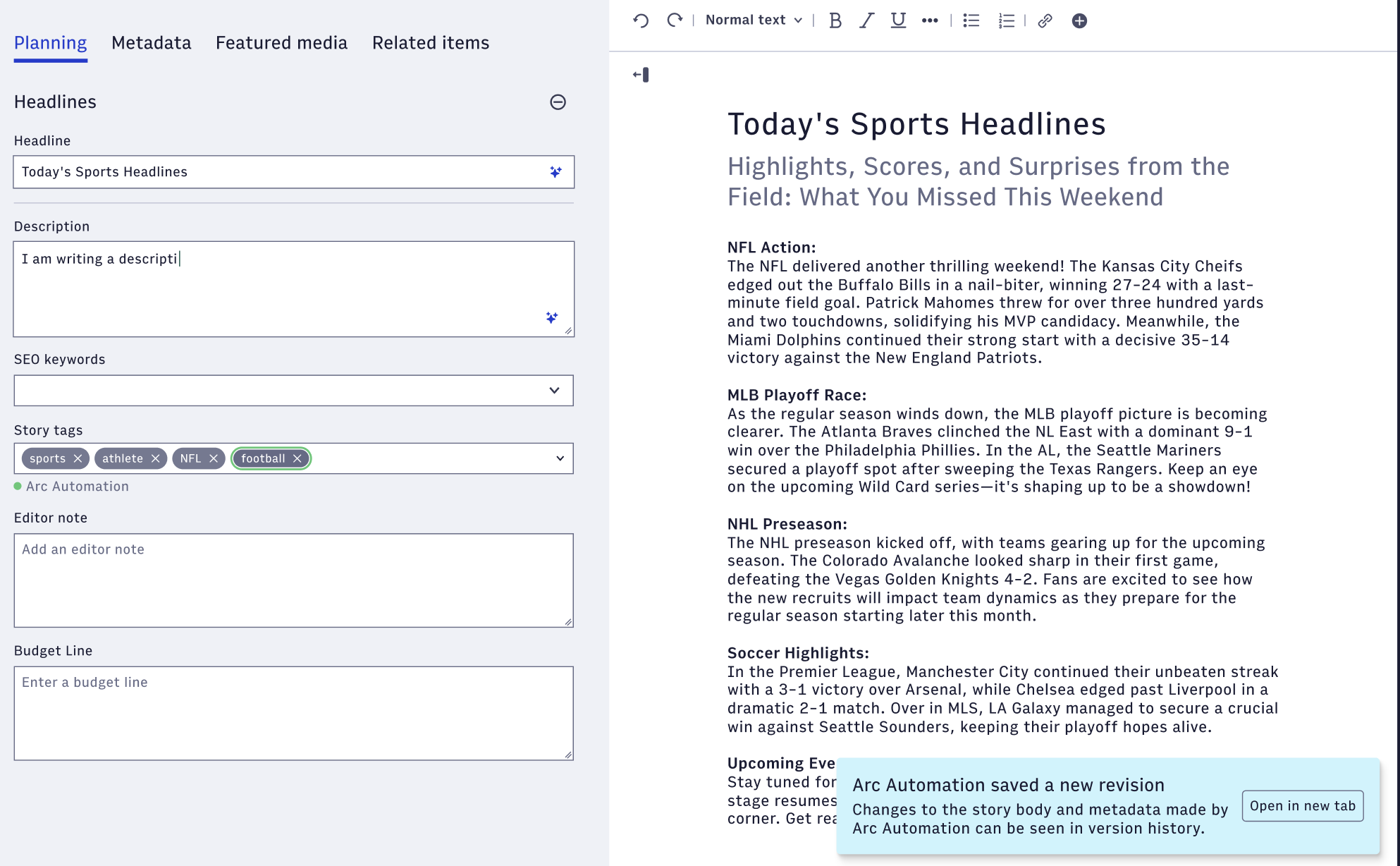
When an API or any automation through IFX, AI, or otherwise makes a change behind the scenes, the data changed will be saved to revision history. If a user is actively on the story when those changes are made and has not saved, they will see:
-
A notification that automatic changes were made and the ability to open up the new revision that was created behind the scenes.
-
Display indicators on fields that were changed through automation:
- This will only apply for text fields and picklists (single and multi).
- Other fields and areas inside Arc XP Composer (date / time, boolean, related items, featured media, circulations, and any content in the right editing pane – internal note, story body, etc ) will not have the display indicator but the user will still receive the notification that automatic changes were made.
When they save again, users will receive a Save Conflict modal if they’ve overwritten any of the changes done by automation.
What can I do to minimize notifications coming from automation?
You can choose to turn off notifications that do not result in conflicts for the user in Composer Settings. Turning these notifications off will only notify users when their changes conflict with any behind the scenes updates with Draft API or automations that are in place.
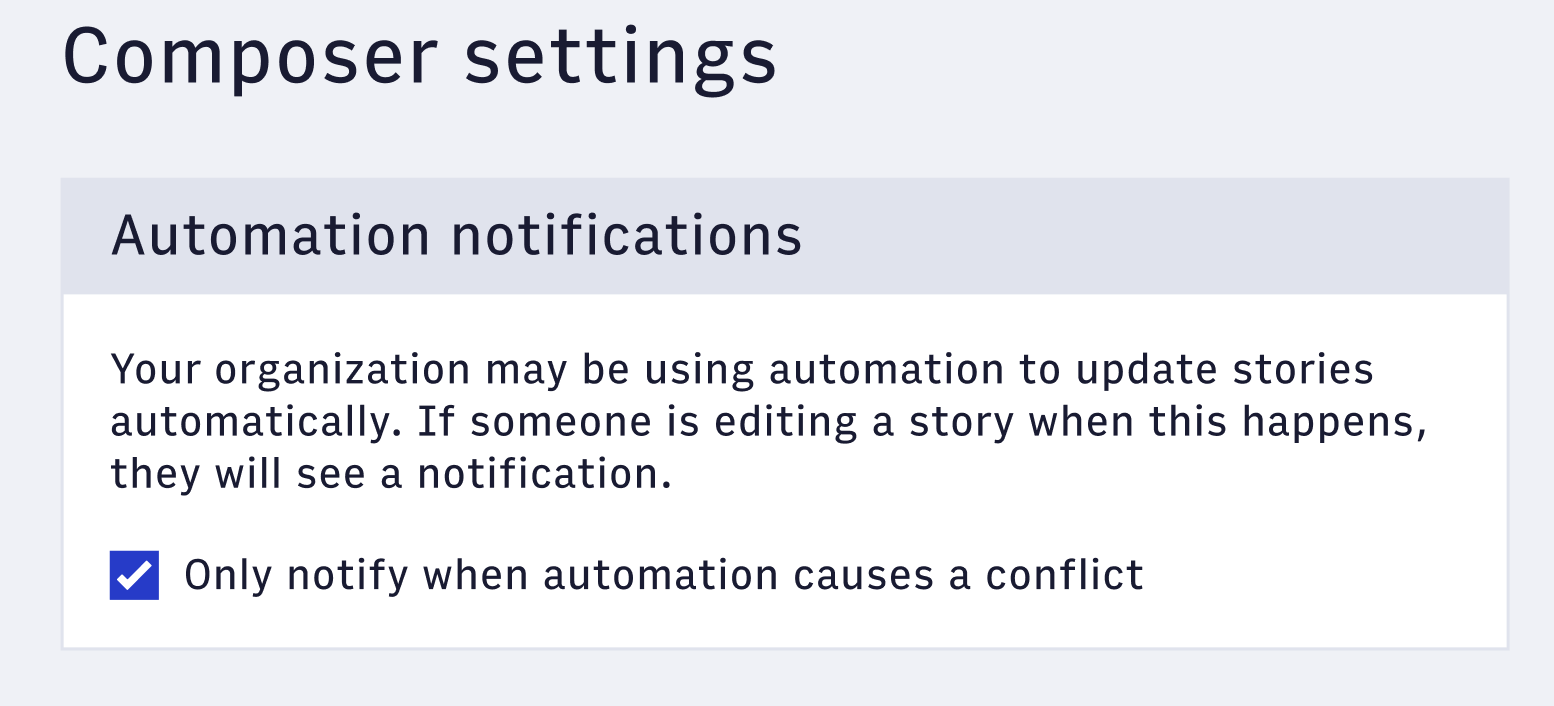
Update “Automation notifications” in Composer Settings
What happens when a user makes a change, but automation has happened behind the scenes?
We will give preference to any user changed values so that they do not lose any work on metadata fields. If there are automated changes not loaded in because we defer to the user changes, there will be a notification surfaced.
There are a few scenarios for which data will be handled.
-
If a user has not modified a field (changed via API) → we will load in the changes from the automation.
-
If a user has modified a field (changed via API) we will handle two different scenarios:
- Text based fields and single select options → will always keep user changes and a notification will be displayed that some changes from automation were not loaded in.
- Multi select fields → will work additively. Any options selected by the user will be kept and any additions from API will be added and shown with the Arc Automation label.
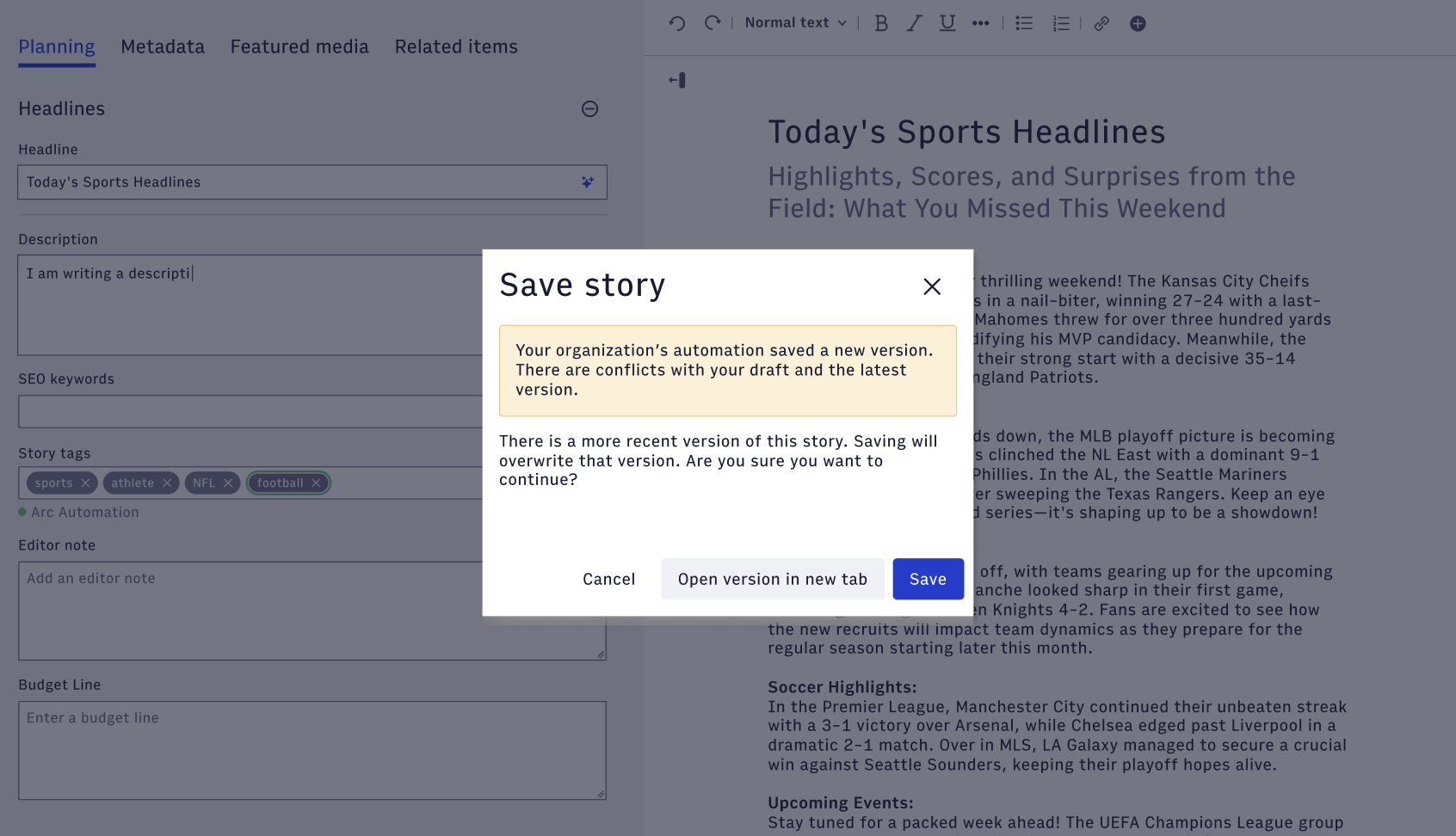
When the user has made changes that conflict with updates that Arc Automation made behind the scenes, the user will receive a notification in the Save Conflicts modal that a new revision was saved and that any conflicts were not loaded into the field. We always give preference to user changes.